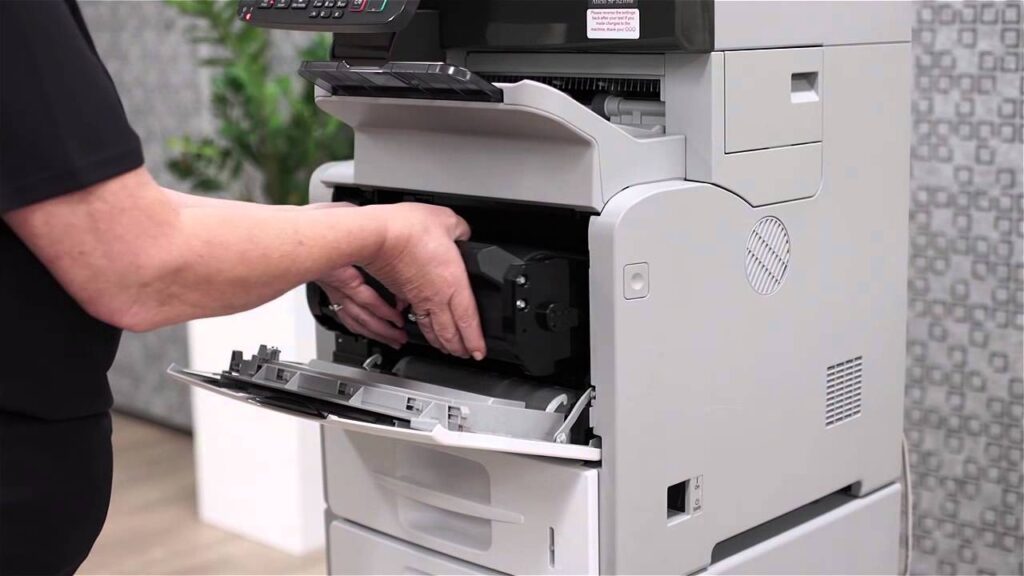
The toner of a laser printer is equivalent to ink cartridges in the context of an inkjet printer. Here, the ink comes in the form of negatively charged powder. The printer’s laser will electrostatically charge certain areas of the toner and cause the ink to be attracted to form a pattern that will be printed on the paper. The drum is the essential element that will deposit the ink onto the paper for printing. Once the powder in your toner is exhausted, you will need to purchase a brand new toner and replace it. Here’s how you might proceed.
Determine whether to change the toner or not
The lifespan of your toner is directly related to the usage you intend to make of it. Thus, as soon as the powder of a toner is depleted, it is important to change the cartridge to continue making your prints. It will all depend on the amount of ink you use for your printing tasks as well as the printing environment. You will also need to consider how often you use your printer and the media used for printing.
When your toner runs low, a window will pop up on your computer indicating that it is time to change the toner. Then, a special light will start blinking on the printer’s cover. You may also notice signs on the printed pages that will be somewhat less intense in terms of print quality. Therefore, if the pages you print are becoming increasingly pale, it means your toner is nearing the end of its life. You can find a new toner at imprimante-laser.xyz.
Changing the toner
To change your toner, you can start by turning off your printer by unplugging it. Simply locate the opening buttons on your printer’s cover, using a manual if necessary. You will still need to open the front door of the casing. Next, you can press the opening button located at the base of your installed cartridge. You will need to grasp the handle and pull it towards you to remove the cartridge from its slot. After that, you can unpack the new toner cartridge.
Before inserting this cartridge, gently shake the toner in all directions to evenly distribute the powder inside. You can then insert the new cartridge into the slot of the previous cartridge. When it is properly in place, the cartridge will click into position automatically. You can then close the cover and turn your laser printer back on. Test the proper functioning of your printer by printing a page. This will ensure that everything is in place and that the printer is working well.
Remember that toner cartridges are components that you must recycle. Most toner manufacturers and many organizations now offer programs for collecting used consumables for environmental protection. There are also companies that specialize in refurbishing toners and marketing them. So do not throw away your used toner. Think about recycling it.